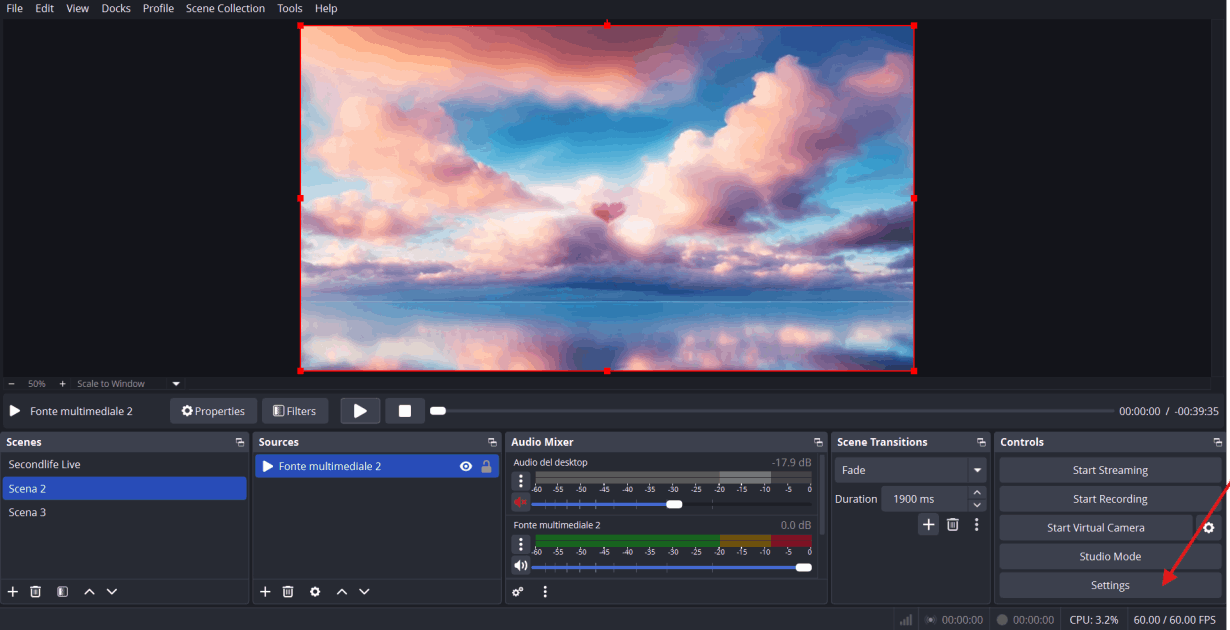
1) Settings
To set up the connection between OBS and the LiveStreams system, follow these simple steps:
1) Open OBS and click on SETTINGS
Simple step to connect Obs to Livestream System
To set up the connection between OBS and the LiveStreams system, follow these simple steps:
1) Open OBS and click on SETTINGS
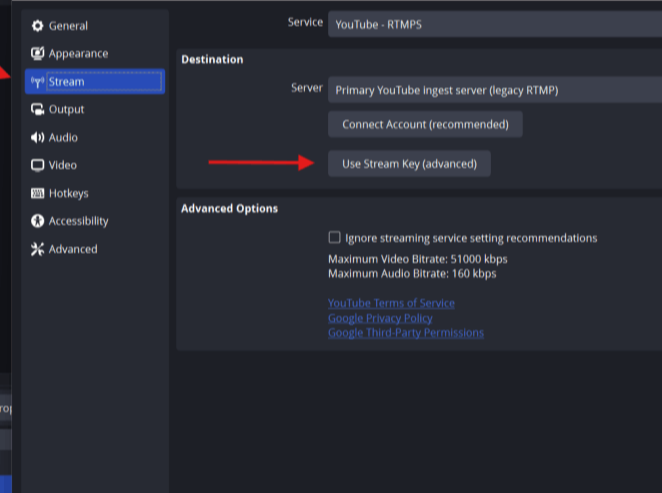
Go to the STREAM section and select the USE STREAM KEY button.
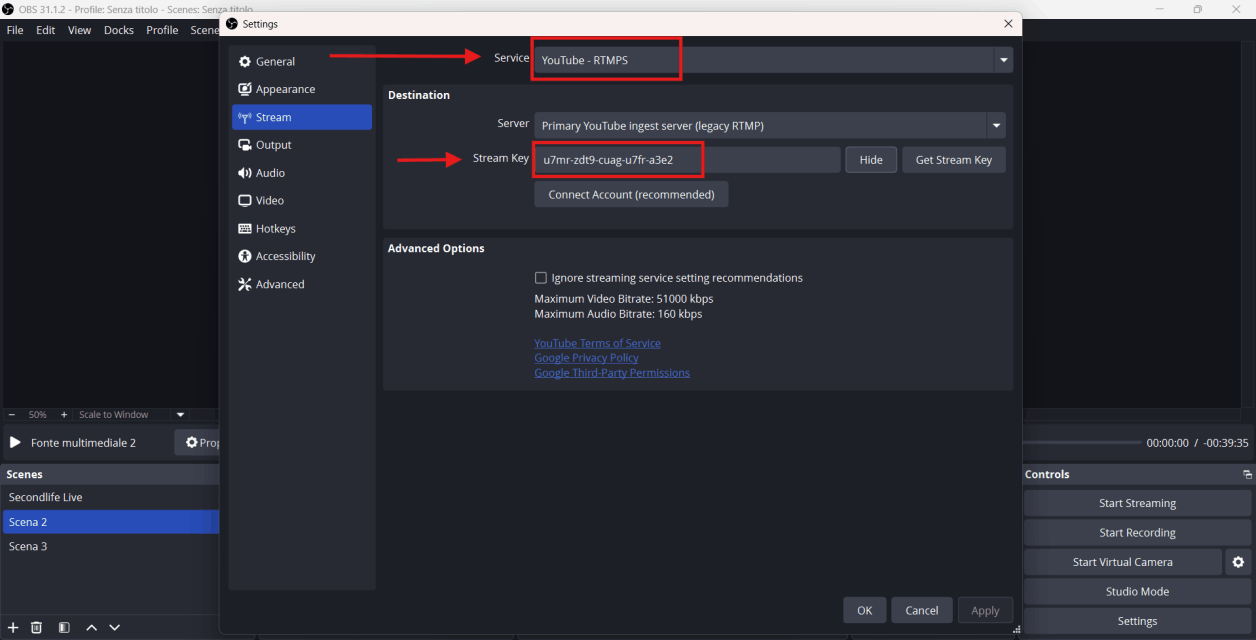
Select the service type and choose "Youtube RTMPS."
Paste the code provided by the LiveStream system in Secondlife into the "STREAM KEY" field.
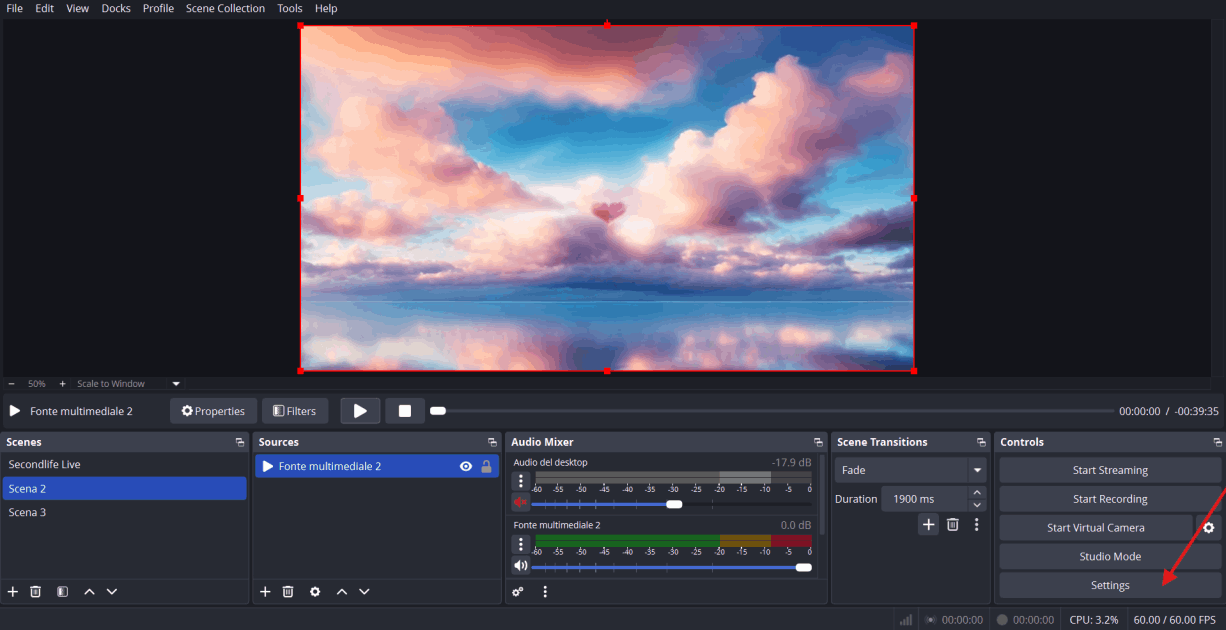
Now start your live broadcast by choosing START STREAMING

AI Website Creator